Chapter 11 Useful Resources
11.1 What is this?
Over the years, I provided at some point of the class pointers to a variety of resources with a use beyond the class itself. I designed this document to gather all of them in a single place and to provide them upfront to students, since they seem to meet broad needs.
11.2 Writing and editing documents
11.2.1 Reference management
At this stage, you need to use a reference manager to deal with the sheer number of references you have to know and cite. There are many solutions available. My personal choice is Zotero, and the references list for this class is published as a shared Zotero library.
11.2.2 Writing implements
You have certainly come across many software to write your papers and design your presentation. In my opinion, there is at the moment no solution which is clearly superior to everything else, but I’d argue that the most common — MS Office and its clones — are inferior for most academic needs, and dominate administrations and businesses only because of a first-mover advantage.78 And the downright misleading idea that you don’t need a proper training to use them.
One key element of most other solutions is that content production (e.g. writing) and formatting are made at separate times, so you can concentrate on the former. To do so, you leave marks on your text telling the software of the special status of some pieces of it: shorthands way to say “This is a level 1 title”, “this should be in bold”, “this is en français”: they are markup languages. You’ll notice that some of these indications refer to pure form (bold case), while other refer to semantics (language). Other cases ca be meta-information (e.g. image description in an alt-text field) This allows for a much higher level of flexibility, e.g. choosing themselves the design best suited to their tastes and hardware, including screen readers.
Let us have a look at some of these languages
The HTML is of course the paradigmatic example, since it is the common basis for the human-readable web — so much so that the formatting part of the work is now externalized to the CSS language. Because it is very verbose, there is little reason to write in HTML directly. It has become a final-product language, not a writing content one. Yet, it is often useful to have some notion of HTML to understand how the machinery build with it (think WordPress, Moodle) works, and occasionally breaks.
Markdown is a lightweight markup language used to make hassle-free, simple written documents. There is a limited set of markups, covering basic needs:
## This is a title

This is regular text. This is **bold**.
Practically speaking, you type your text using a text editor. The choice is vast, but a favourite of mine is Zettlr, which has been developed by and for academics, and thus supports advanced function such as citation management. Once your text is typed, you call a compiler, a program which translates your document into an output format — Word, HTML (a webpage), PDF, etc. Currently, the most widely used is Pandoc, which, as the pan- part indicates, covers a very large set of input and output formats.
In my opinion, Markdown is a good starting place for documents intended primarily for yourself, such as lecture notes. It can be of further use as long as your work is mostly text-based. The project Stylo by the French SHS infrascructure Huma-Num intends to cover such cases.
RMarkdown The set of instructions of markdown is limited. While it can accommodate images, it lack natively some features such as footnotes. Since it is open-source, people have developed several variants, of flavours, which include more advanced functions. I single out the RMarkdown version79 I made these handouts and the slides in RMarkdown, using RStudio as an IDE and the tufte package
LaTeX is a professional-grade typesetting system commonly used in mathematics and experimental sciences academic publications. There are three main reasons behind its success:
- Its hyphenation algorithm is on par with the best solutions in the publishing world, across a large number of languages.
- It can render complicated mathematical expressions.
- Because it is open-source, packages cover almost every possible academic needs. You want to edit a text with side-by-side versions in English, Greek and Arabic, with a separate footnote system for each? There is a package for that80 That would be the reledmac package..
If you intend to pursue a research career in the more quantitative side of cognitive science, you’ll need to learn LaTeX at some point. The regular way of doing thing is to have your own local text editor, and a LaTeX distribution installed. Online solutions, such as Overleaf offer cloud-based editing and compiling81 Remember: there is no cloud, only someone else’s computer., with smooth handling of simultaneous editing of the same document. The main drawback of LaTeX is its steep learning curve.
This is of course and active space. For example, several of my contacts have adopted typst as an alternative to LaTeX+Overleaf, since it offers the same simultaneous editing capabilities and advanced rendering, but a much simpler, markdown-style markup language.
I encourage you to look around and find the solution best suited to your tastes. Having a passing familiarity with each tool helps: as a young researcher (and often as a less-young one), you will often have to adapt to the requirement of some senior researcher, publisher, etc.
11.2.3 Typography
Even if you use tools which take care of most of the typographical work (see above), you’ll have typographical choices to make. Even more so if for some reason you have to use MS Word or LibreOffice, which are inferior on this point of view. Thus, you may want to have a passing familiarity with the basics of good typography. This area is full of strong opinions, and, honestly, light on hard evidence.82 For example, there is a widespread idea that flush left typographic alignment is better for readability, especially for people with dyslexia. It seems to be based on low-powered studies, which relied on low-performing typesetting software such as Word.
I find Butterick’s Practical Typography a reliable reference. I stand by the claim that following their key rules will make you a better typographer than most people.
11.3 Data Visualisation
Data visualisation is a must-have skill in our field, at every stage of the research process: getting a hold on the data (exploratory analysis), making sense of intermediate results, communicating final results. Unfortunately, there is little to no formal training for it in most curricula. It is all the more a gap that the study of graphical display of information is (or should be) a sub-field of cognitive science, and yet graphics are most often than not poorly designed. In a policy-making perspective, we should all be training in spotting misleading graphics.
In terms of references, Tufte’s books (I recommend (Tufte 2001Tufte, Edward. 2001. The Visual Display of Quantitative Infomation. Second edition. Graphics Press.)) remain a key resource, and you can find many digests online.
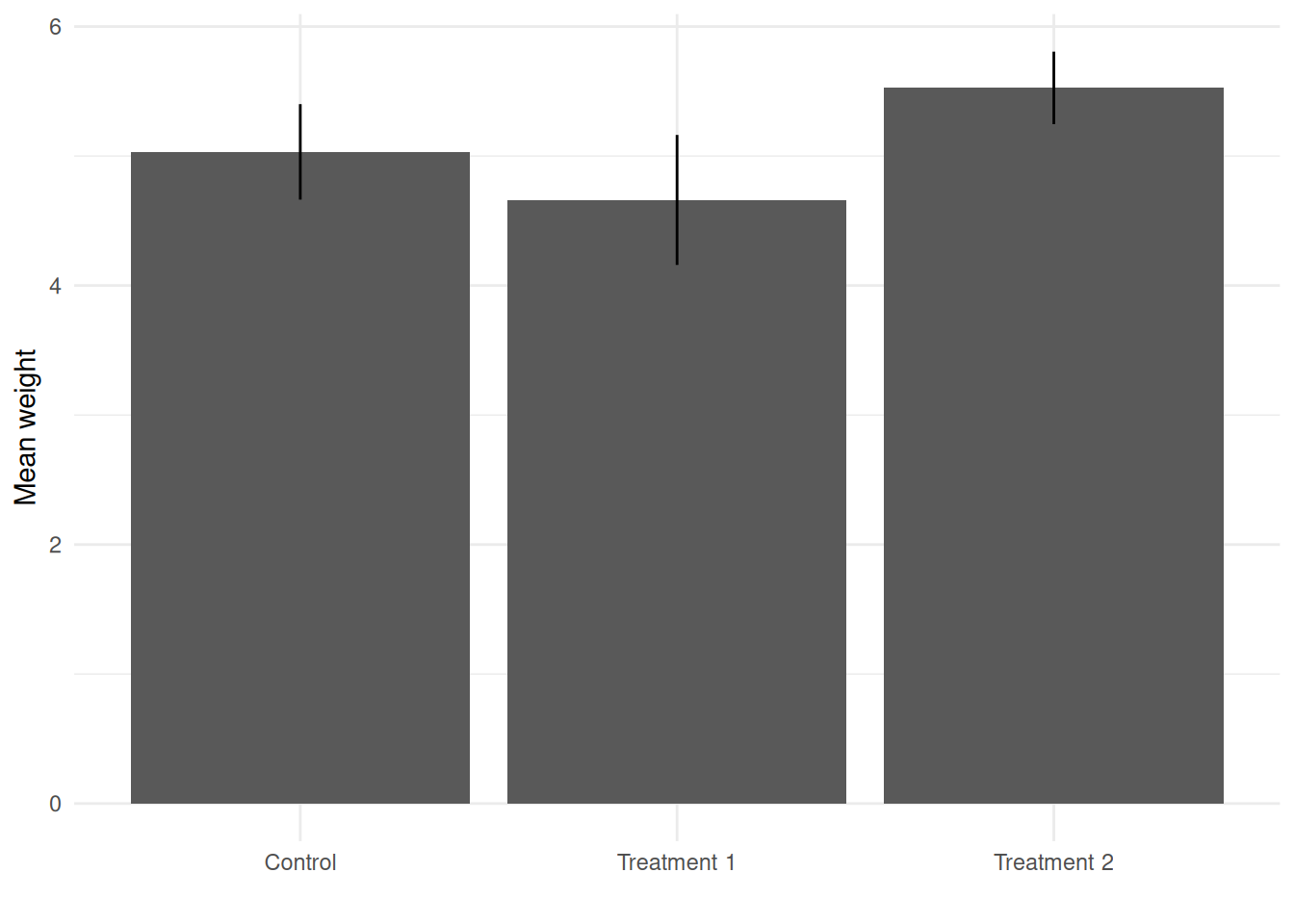
There are, again, many tools available. To my knowledge, Python and R are the two dominant platform in the field. Python is more popular with engineering and computer science people, since it is a more general programming language. Its forte relative to R lies in managing large databases. R, which I use, is a tool designed by statisticians for statisticians. Graphical capabilities, enabled by the ggplot grammar, are a strong point. Its defaults are however debatable (see Figure 1). Using the minimal theme as a default strikes me as a good place to start (Figure 2).
theme_set(theme_minimal())
Figure 11.1: Sample graphics with ggplots regular defaults. The light gray background serves little discernible purpose.
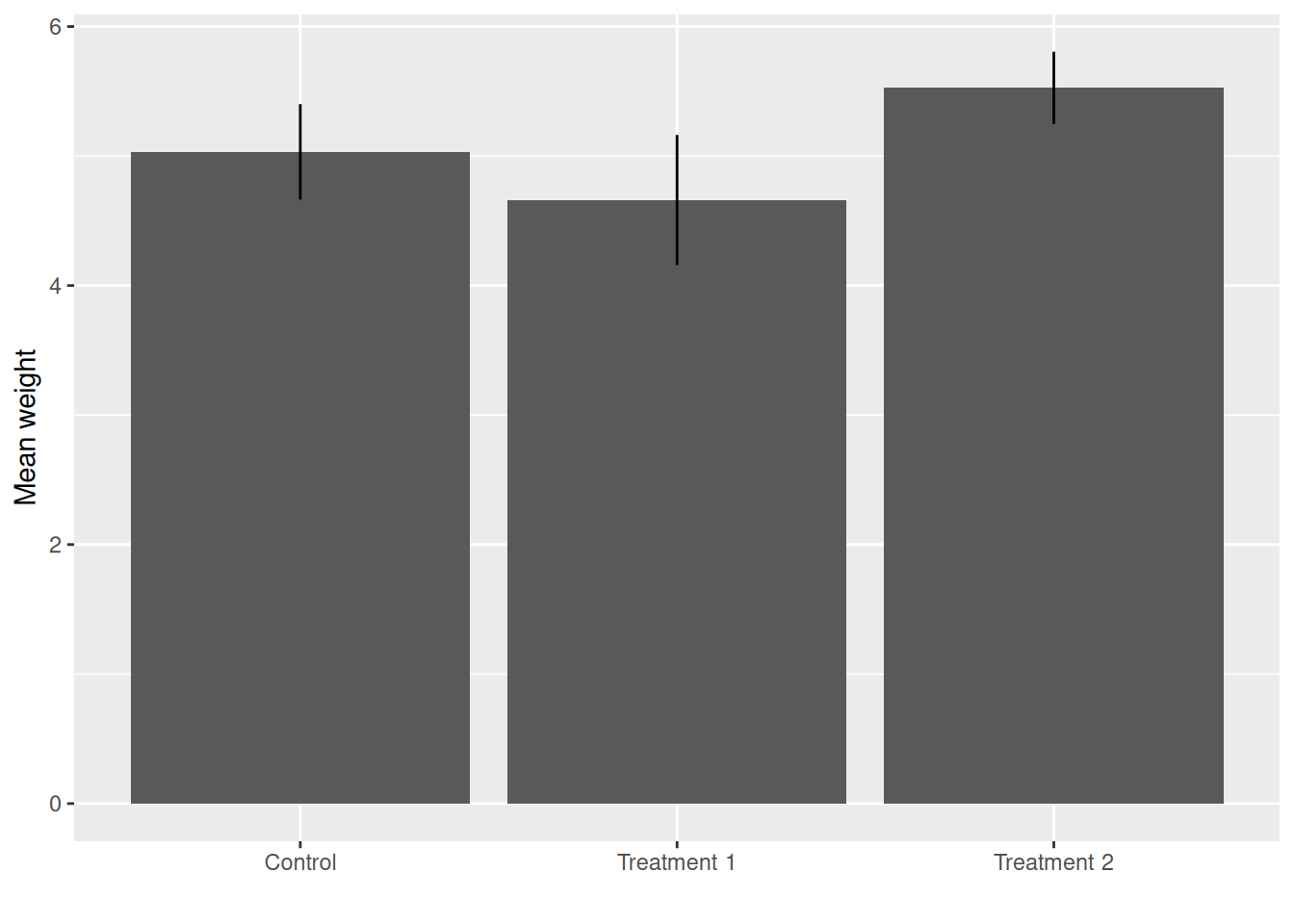
Figure 11.2: Same graphic as above with the minimal theme
11.4 Behavioural science resources
Once again, there is much more out there than one can possibly know. This is a subjective list based on my own experience, an go alongside references cited in class.
- Open Encyclopedia of Cognitive Science, a MIT initiative to provide authoritative symmaries on cognitive science topics.
- Seven Routes to Experimentation: A guide to applied behavioural science methods: an applied guide from a OECD-led team.
- Behavioural Public Policy is a relatively new journal, but already the reference in the field.
- Behavioural Scientist is a useful blog-like site to keep up to date with recent publications (mostly books) and debates.
11.5 Project management
Project management requires a set of skills which may not me taught in standard university curricula. For French speaking people, I recommend the MOOC Gestion de Projet, operated for several year by an academic, and which covers most of what you’ll need to run your own projects, by also to understand and work with people with this kind of training in adminisatrations.
Project management is a behavioural topic in itself: it falls prey to the planning fallacy, our tendency to under-estimate the amont of time and resources required to complete a task. This mini-course helps you with that and shows how behavioural insights can be brought to bear in such cases.
11.6 Comparable courses
Preparing the 2023-2024 session, I did a quick benchmark of comparable courses among institutions with publicly available syllabus. I think sharing it with you will underline how I try to approach things a bit differently from the usual way.
11.6.1 Syllabus
By and large, all classes cover the same breadth of topics. The order of presentation differs.
University of Edimburgh I rather like the way their syllabus associates a topic with a policy issue. I feel however that limitations and ethics should come sooner.
- The role of the state in behavioural change
- Defaults for health
- Framing: the environment
- Cognitive biases: education
- Myopia and anchoring: retirement
- Dark patterns
- Nudged taxpayers and biased policies
- Limitations of BI
- Ethics of BI
New York University, Robert R. Wagner School of Public Service. This syllabus looks a bit like a laundry list of cognitive biases to my taste. I prefer to spend less time on biases and heuristics, and more on higher-level theories on the one hand and case studies on the other. The syllabus provides a comprehensive (if not daunting) reading list.
- Prospect theory
- Loss aversion
- Probability weighting
- Endowment effect
- Present bias and commitment devices
- The power of defaults
- Choice overload and nudging
- Extrinsic vs. Intrinsic motivation
- Social comparison
- Salience and attention
- Scarcity
Berkeley This course starts with higher-level theories, and ends with more practical applications.
- Prospect theory
- System 1 / System 2
- Nudges and sludges
- Want / should tradeoffs
- Commitment devices
University of Chicago Harris School of Public Policy. This program is fairly complete. A lot of time is dedicated to specific heuristics and biases. The presentation of the class adopts a fairly paternalist stance. Behavioural insights are presented as tools to persuade people and foster change, with in my opinion little regard for the liberty-enhancing dimension of behavioural public policy.
- Mental models: basic units of cognition
- Limits of attention
- Information overload
- Challenges of expertise
- System 1 / System 2
- Big 3 Heuristics: availability, anchoring and representativeness
- Status quo bias, loss aversion, endowment effect
- Self-serving biases: confirmation bias, motivated reasoning, overconfidence
- Habits, temptation and self-control
- Behavioural change frameworks
- Incentives and extrinsinc motivation
- Social norms and comparisons
- Commitment and planning devices
- Reminders and prompts
- Persuasion
- Framing and storytelling
- Emotional appeals
- Limits and ethics of nudging
11.6.2 Delivery and evaluation
Most classes follow a common pattern mixing lecture, class discussion, paper presentation and discussion, and group projects. The weight of each part varies.
Group projects involve designing a behaviourally-informed intervention to tackle a policy issue. The core structure — behavioural diagnosis, behavioural levers, evaluation — is the same. Classes vary on how much guidance is provided, from each step being a separate assignment to the whole thing being a single assignment. I have not seen elsewhere a feature which is central to my conception of this class: since you need a good understanding of the context of an intervention, the policy issue should be salient in your daily environment.
Presentations most of the time revolve around presenting and discussing a foundational article of the field. While I understand the usefulness of having students read reference papers, I prefer having you discussing actual interventions rather than papers which have been summarized and dissected by better minds than ours. For the 2022-2023 and 2023-2024 sessions, each group had to present such a case study over the course of the semester. Students complained this led to too high a workload for a 4-ECTS class. Starting 2024-2025, I switched to other forms of assignments.
Individual written assignments Range from tweets highlighting the core idea of the paper being discussed to full-length discussions of papers. I like the NYU practice of writing an opinion piece or a short policy brief.
Participation is always strongly encouraged. I am aware this can be a challenge for many students, for a variety of reasons ranging from simple shyness to neurodiversity-related difficulties with speaking in public. I will do my best to allow for other forms of interaction with the class.